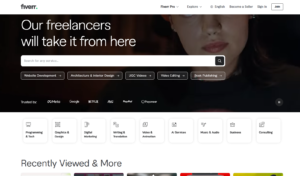

Hiring a freelancer online has become easier than ever. Whether you need a website, logo design, video editing, SEO service, or app development, Fiverr is one of the most popular freelance marketplaces to get quality work done at affordable prices.
In this step-by-step guide, I will show you exactly how to hire a freelancer on Fiverr — from creating an account to placing an order and accepting a custom offer.
Why Choose Fiverr?
Fiverr is trusted by millions of businesses worldwide because:
- Secure payment system
- Wide range of services
- Verified freelancer reviews
- Transparent pricing
- Custom offer option
- 24/7 support
If you are new to Fiverr, follow the full guide below.
Step 1: Create a Fiverr Account
Before hiring a freelancer, you need to create an account.
How to Create an Account:
- Go to Fiverr website
- Click on Join
- Sign up using:
- Email address
- Google account
- Facebook account
- Apple ID
- Choose a username
- Set a secure password
- Verify your email
Once verified, your Fiverr buyer account is ready.
👉 Create Your Fiverr Account Here

Step 2: Complete Your Buyer Profile
After creating an account:
- Add profile photo
- Add short bio
- Add company name (if applicable)
- Verify phone number
A complete profile increases trust and helps freelancers understand your project better.
Step 3: Find the Right Freelancer
There are two main ways to find freelancers on Fiverr:
Option 1: Use Search Bar
- Go to the search bar
- Type service keyword (Example: “WordPress website design”)
- Press enter
You can filter results by:
- Budget
- Delivery time
- Seller level
- Language
- Location
Option 2: Browse by Category
Click on:
Graphics & Design
Programming & Tech
Digital Marketing
Video & Animation
Writing & Translation
Select the category based on your project needs.
Step 4: Check Freelancer Profile Carefully
Before placing an order, review:
✔ Seller rating
✔ Number of reviews
✔ Portfolio samples
✔ Delivery time
✔ Package details
✔ Frequently Asked Questions
✔ Seller level (Level 1, Level 2, Top Rated Seller)
Never hire without checking reviews and portfolio.
Step 5: Contact the Freelancer (Recommended)
Before placing an order, it is highly recommended to message the freelancer.
Click on:
Contact Seller
Send details including:
- Project description
- Budget
- Deadline
- Special requirements
This avoids misunderstandings and ensures smooth delivery.
Step 6: Send a Custom Offer Request
If your project is not covered in the standard packages, request a custom offer.
Explain clearly:
- Scope of work
- Number of pages / features
- Timeline
- Budget
The freelancer will review and send a Custom Offer tailored to your requirements.
Step 7: Accept the Custom Offer
Once the freelancer sends a custom offer:
- Review all details carefully
- Check price
- Confirm delivery time
- Review included services
If everything looks good:
Click Continue → Proceed to Payment
Step 8: Submit Payment
Fiverr accepts:
- Credit/Debit Card
- PayPal
- Fiverr Balance
Important:
Fiverr holds payment securely until the project is completed.
This protects both buyer and freelancer.
Step 9: Submit Order Requirements
After payment, you must provide required information.
This may include:
- Content
- Images
- Logo files
- Hosting details
- Project instructions
Make sure to provide clear and complete information to avoid delays.
Step 10: Track Order Progress
You can monitor order status from:
Dashboard → Orders
Freelancer may:
- Send updates
- Ask questions
- Request additional information
Always respond quickly for smooth communication.
Step 11: Review and Accept the Delivery
When freelancer completes the project:
- Download delivered files
- Review work carefully
- Test functionality (if website/app)
If satisfied:
Click Accept & Review
If revision needed:
Click Request Revision
Step 12: Leave Honest Feedback
After accepting delivery:
- Leave rating
- Write review
- Share experience
This helps other buyers choose quality freelancers.
Important Tips Before Hiring on Fiverr
✔ Always communicate before ordering
✔ Avoid extremely cheap offers (quality matters)
✔ Check delivery time carefully
✔ Clarify scope of work
✔ Use milestone approach for large projects
✔ Keep communication inside Fiverr
Common Mistakes Buyers Make
❌ Not reading package details
❌ Not checking portfolio
❌ Placing order without messaging
❌ Giving unclear instructions
❌ Expecting extra work without paying
Avoid these mistakes for better experience.
Final Thoughts
Hiring a freelancer on Fiverr is simple if you follow the right process. From creating an account to accepting a custom offer, every step ensures secure and professional collaboration.
Whether you need web development, SEO, logo design, digital marketing, or app development, Fiverr offers access to talented professionals worldwide.
If you are ready to hire your first freelancer, create your account now and start your project today.
👉 Start Hiring Today