


Instructions Step by Step
Step 01: Go to https://vincentgarreau.com/particles.js/
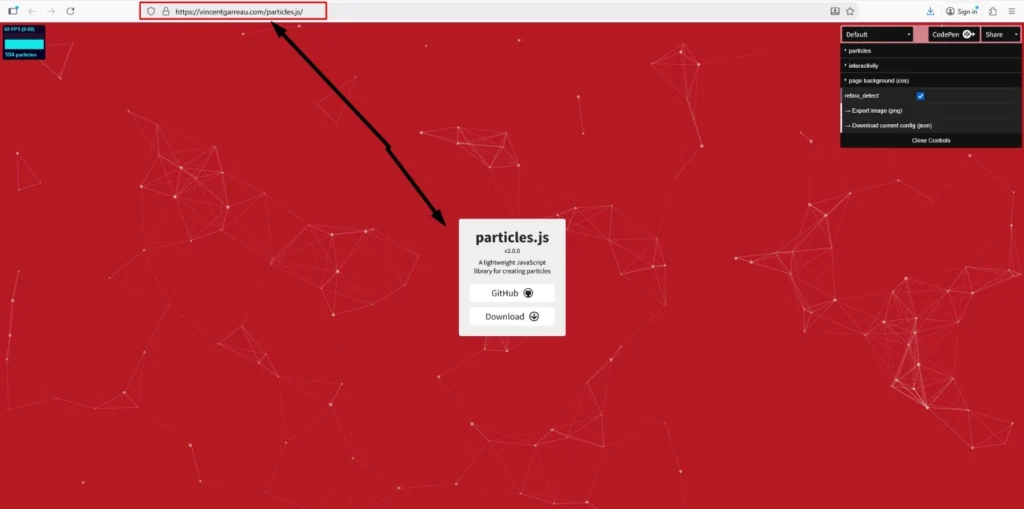
Step 02: Next click the particles option
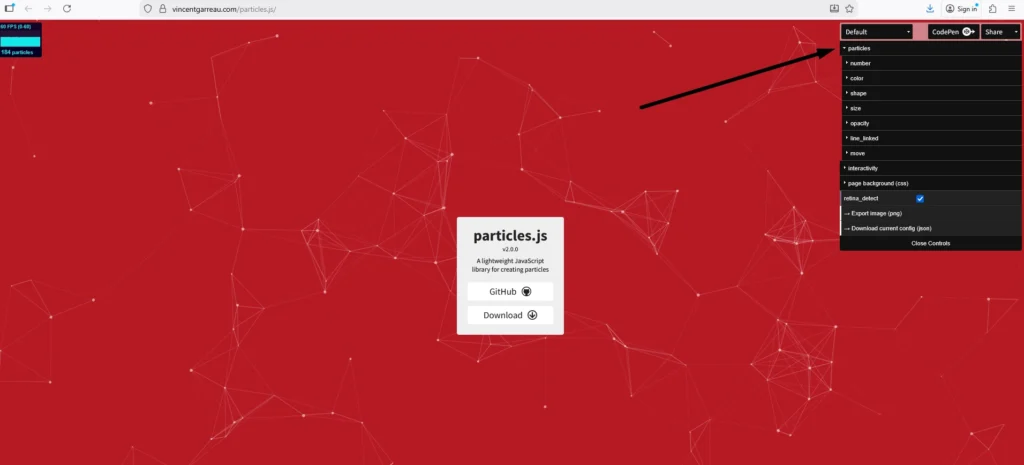
Step 03: Select the numbers option
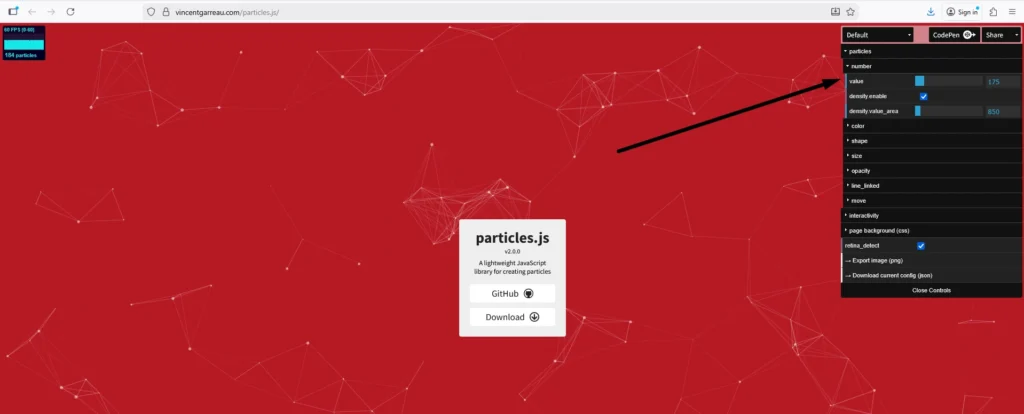
Step 04: Increase or decrease the particles numbers as per your requirements
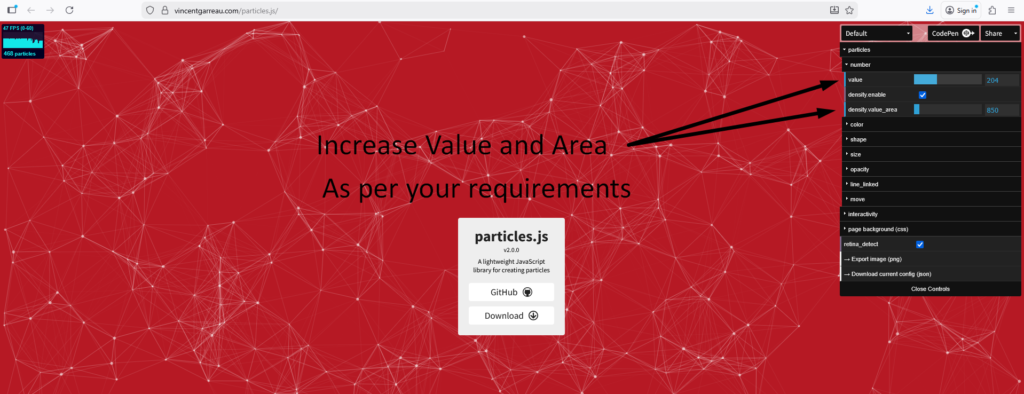
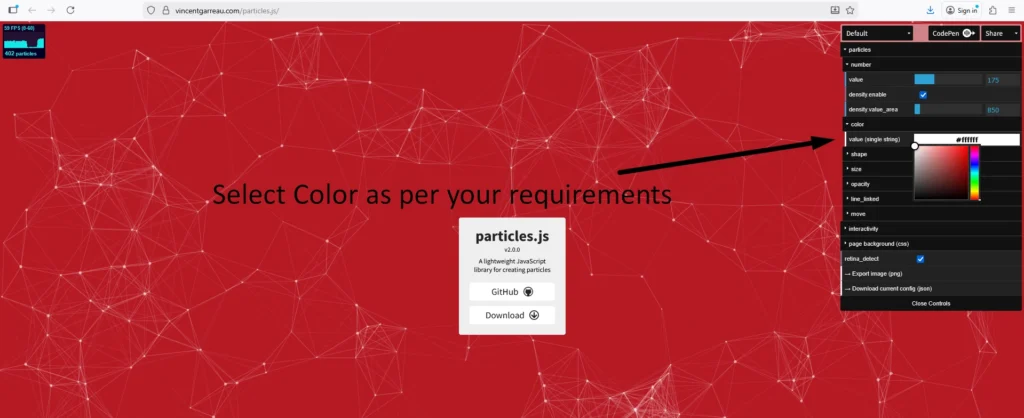
Step 05: Next select the color option and select color as per your requirements
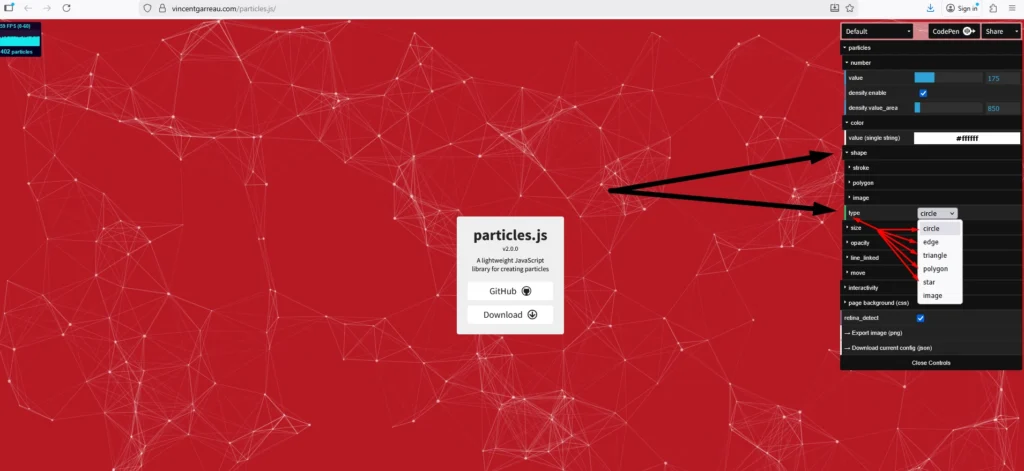
Step 05: Next select the shape option the go to type option and select the type of shape as you want to show on your website.
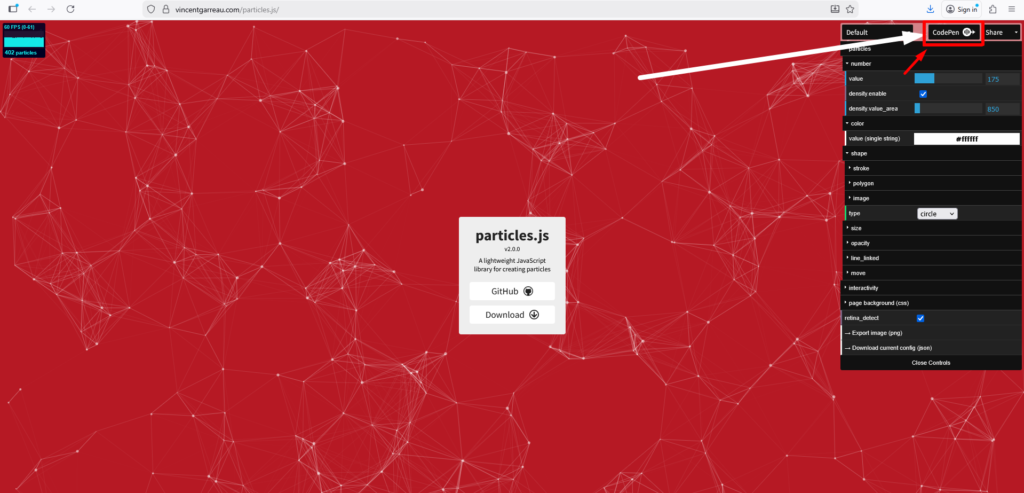
Step 06: Next select the CodePen option and click the codepen button
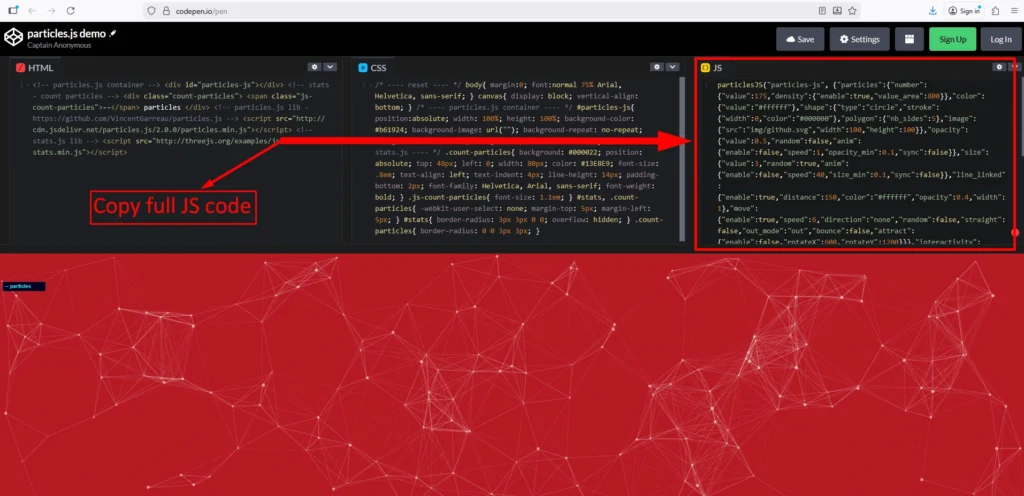
Step 07: Next click the CodePen and copy JS code
Particles Snippet
<style>
.particles-js-canvas-el {
    width: 100%;
    height: 100%;
    position: absolute;
    z-index: -1;
    top: 0;
    left:0;
}
</style>

<script src="https://cdn.jsdelivr.net/particles.js/2.0.0/particles.min.js"></script>

<script>
//JS Code Here

</script>